
Managing Zeeq
Organizations and Membership
Managing organizations, membership, and invitations in Zeeq.
Summary
All content in Zeeq is organized into organizations.
Whenever a user signs up, a distinct organization is created.
Name and icon
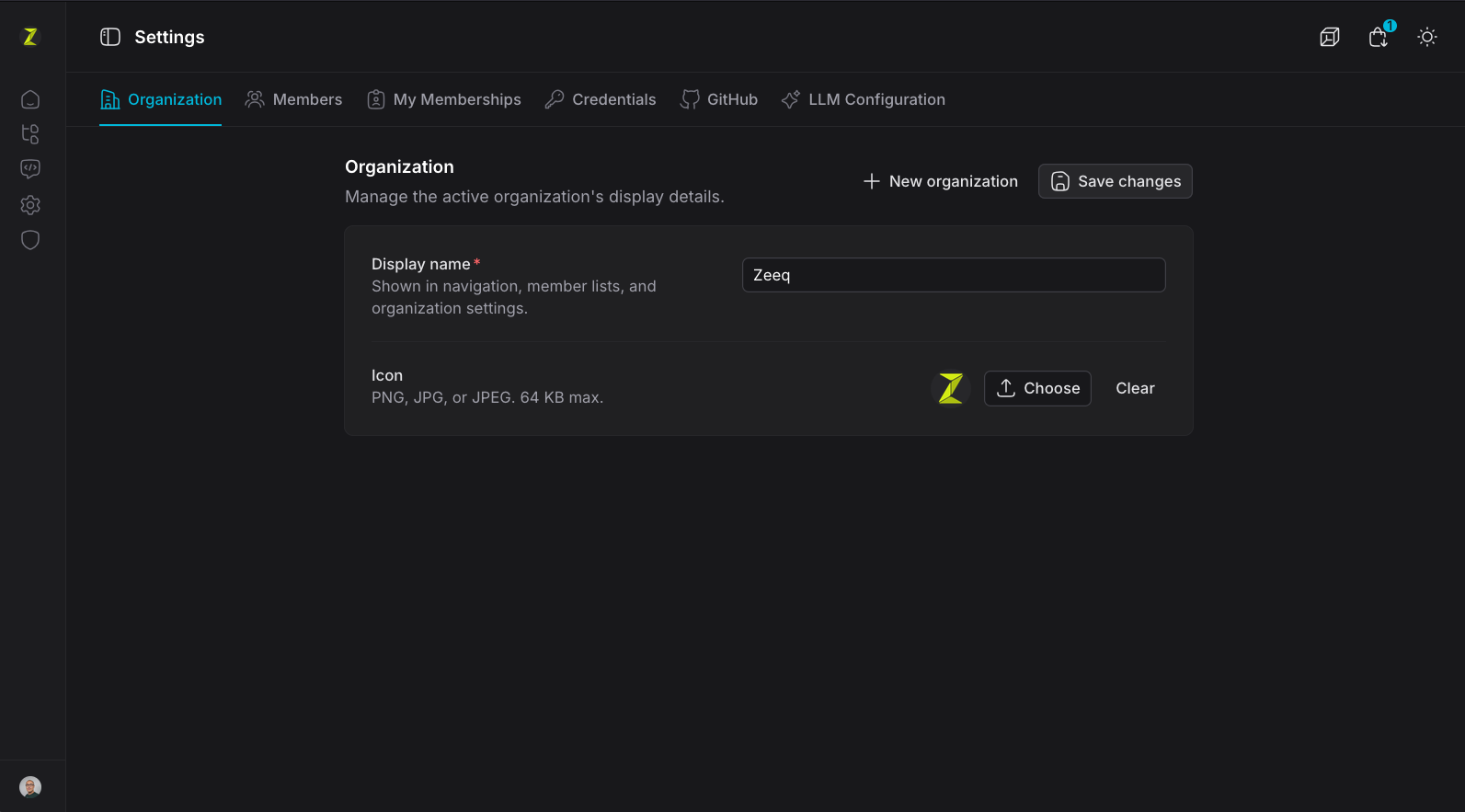
Organizations should set a clear name and icon to identify the org:
Members and roles
Users are invited to the organization and assigned a role:
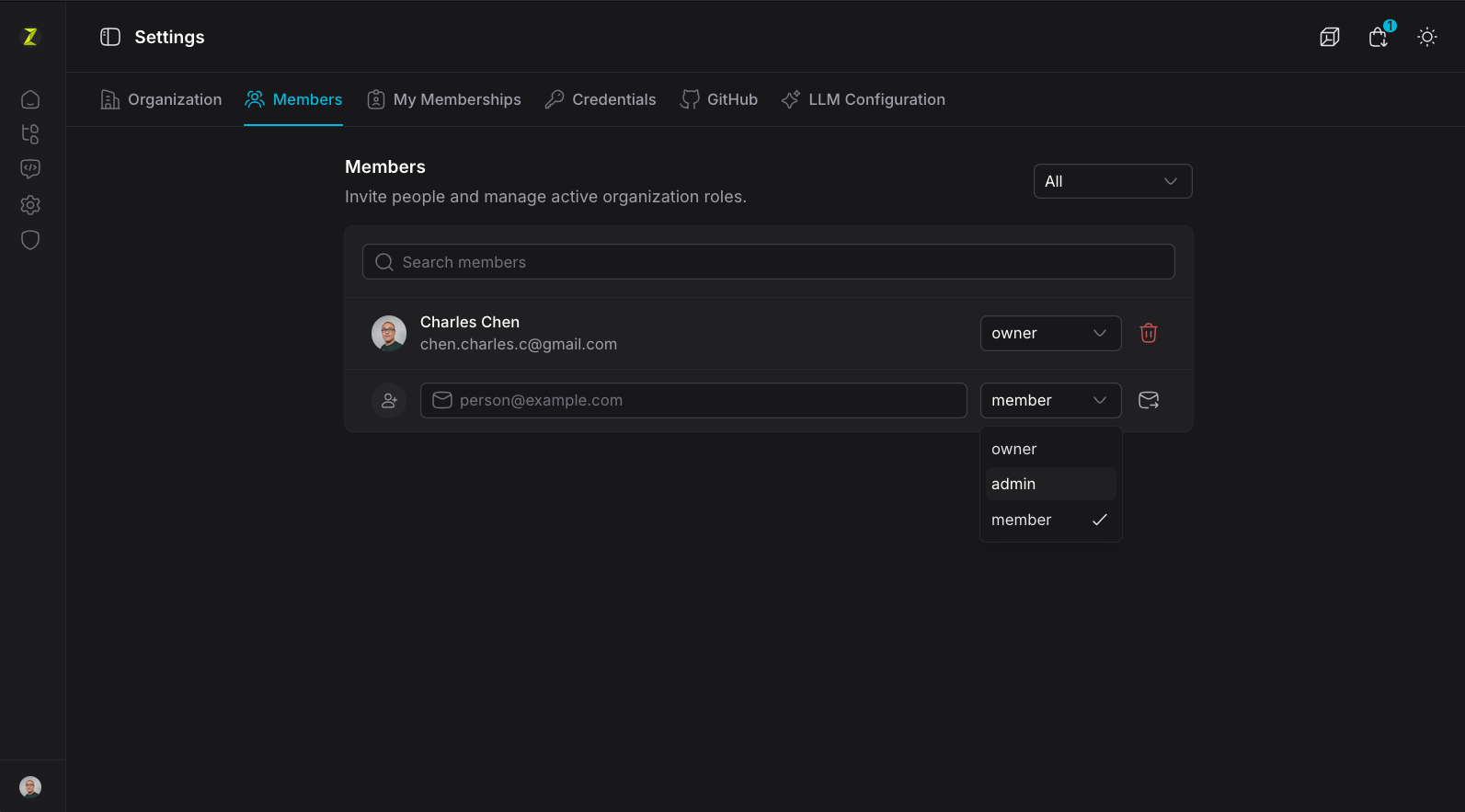
Only Owner and Admin have access to full settings
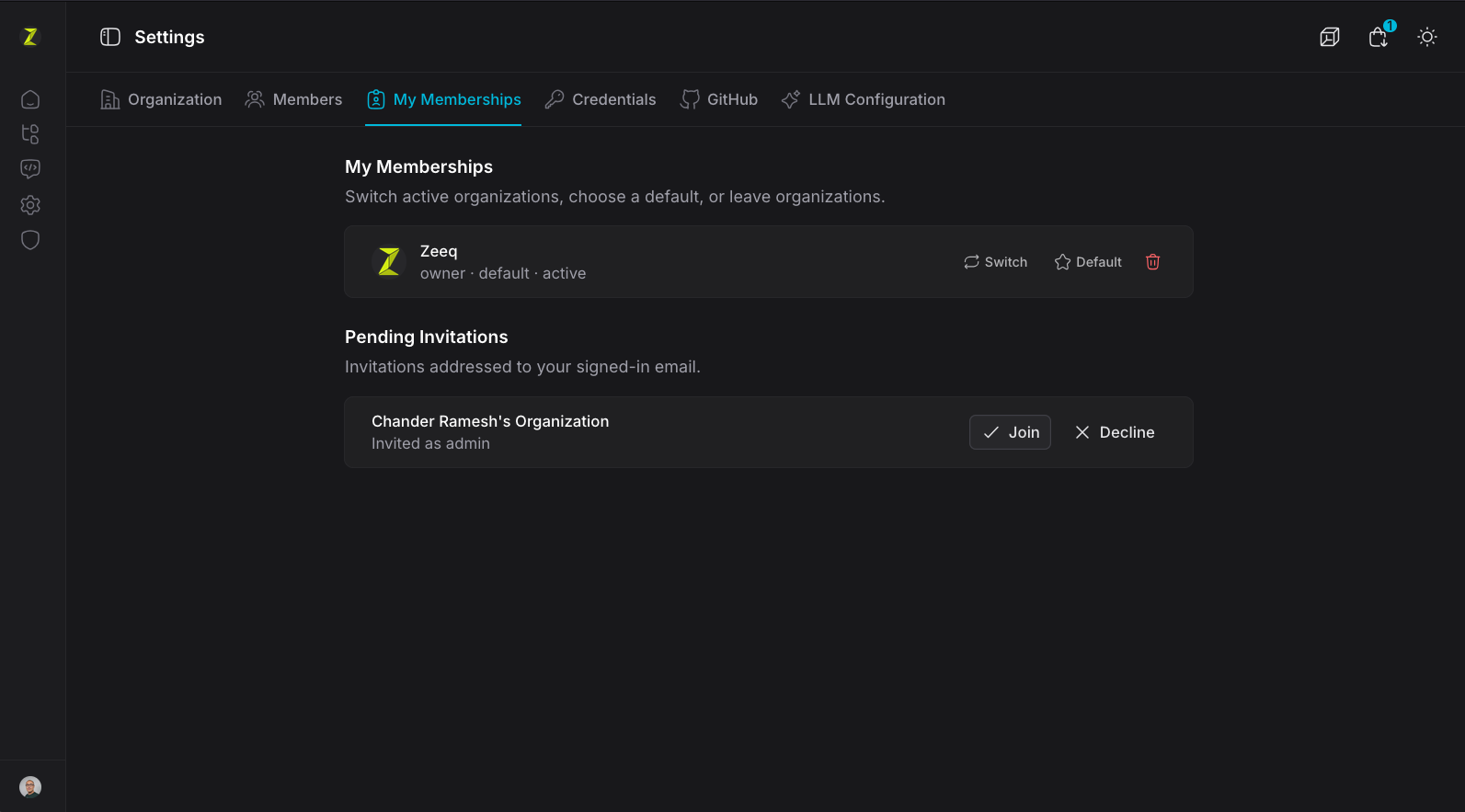
When a user is invited to an org, they will see it in the memberships as an invitation:
Current gaps
- SCIM provisioning and de-provisioning are currently not supported (2026 Q3)
Both are on the roadmap